Sales Tracking
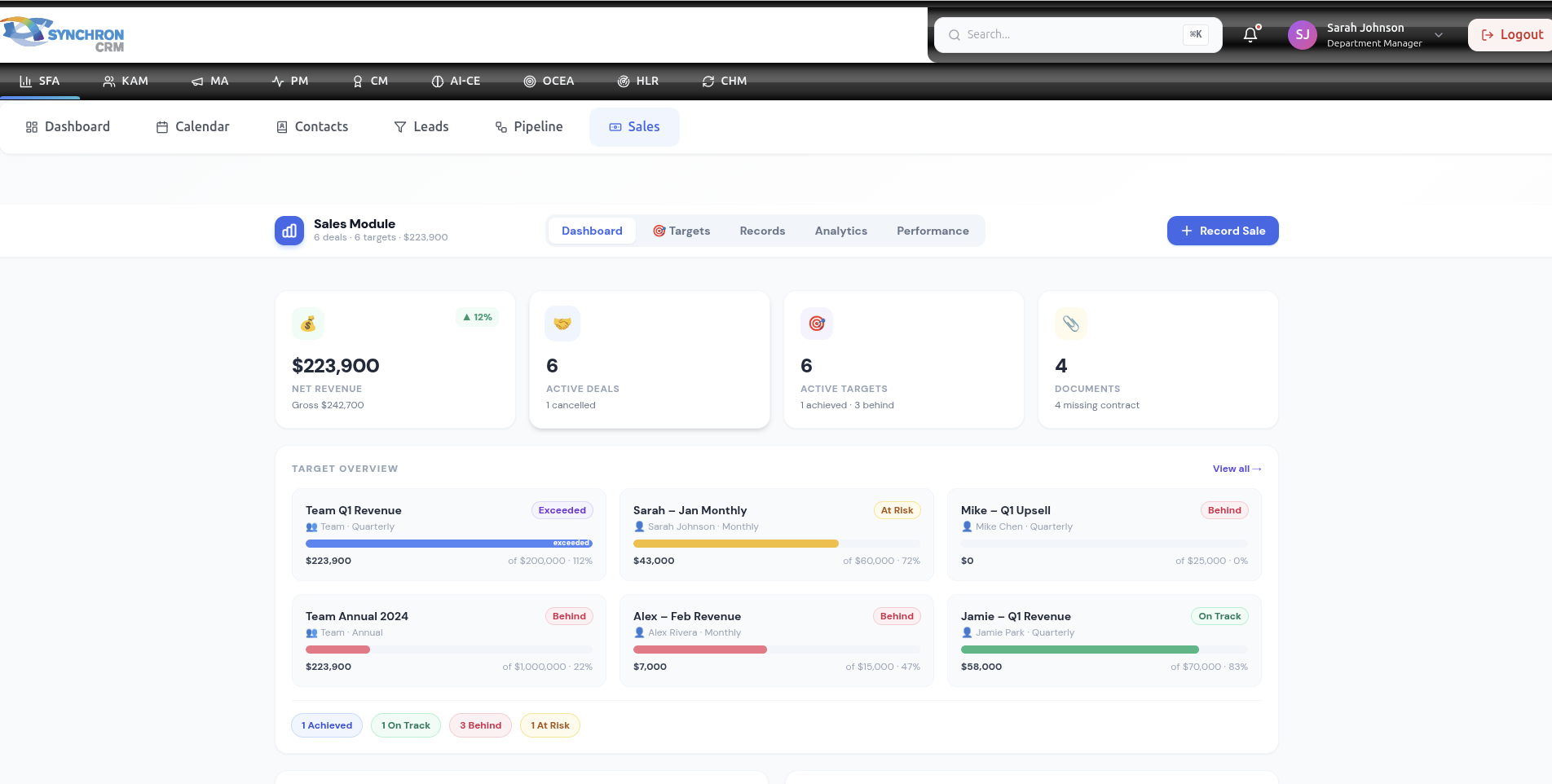
The Sales Module is where finalized deals are officially recorded and tracked.
Once an opportunity reaches Closed Won, it must be properly documented in the Sales module to ensure:
- Accurate revenue reporting
- Target tracking
- Financial alignment
- Performance evaluation
- Forecast validation
This module represents confirmed revenue — not projected revenue.
1. Purpose of the Sales Module
The Sales module is used to:
- Record completed deals
- Track revenue performance
- Monitor targets vs achievement
- Support finance and reporting
- Generate sales analytics
Unlike the Pipeline (which tracks potential revenue), Sales tracks actual revenue.
2. When to Record a Sale
A sale should be recorded when:
✔ Contract is signed
✔ Purchase order is confirmed
✔ Agreement is finalized
✔ Internal approval is completed
Do NOT record sales based on verbal confirmation only.
3. Sales Record Details
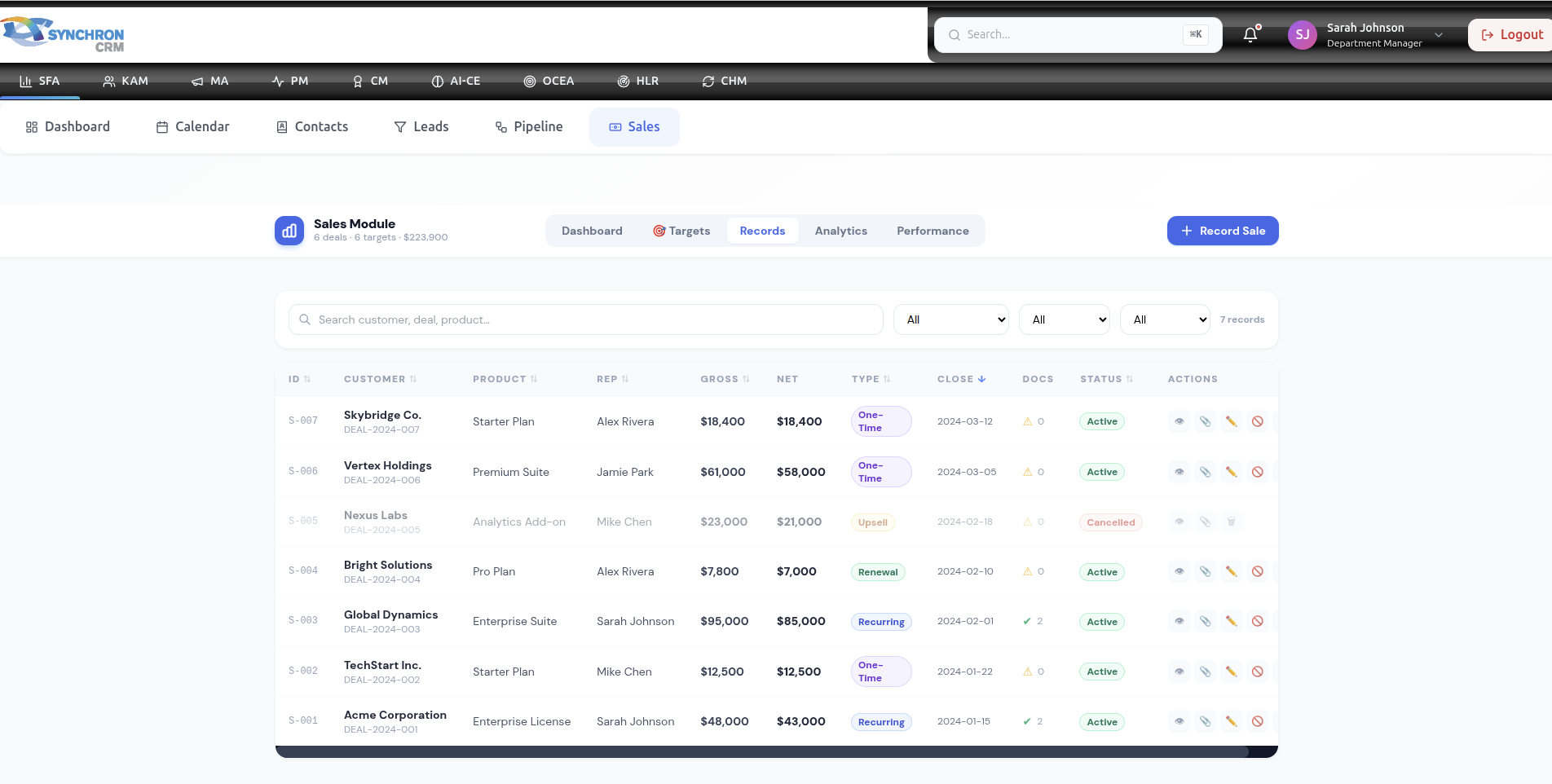
Each sales record should include:
- Customer Name
- Deal Reference
- Final Deal Value
- Currency
- Product/Service Sold
- Sales Representative
- Close Date
- Payment Terms
- Contract Duration (if applicable)
- Attachments (Contract/PO)
Accurate data ensures reliable reporting.
4. Revenue Types
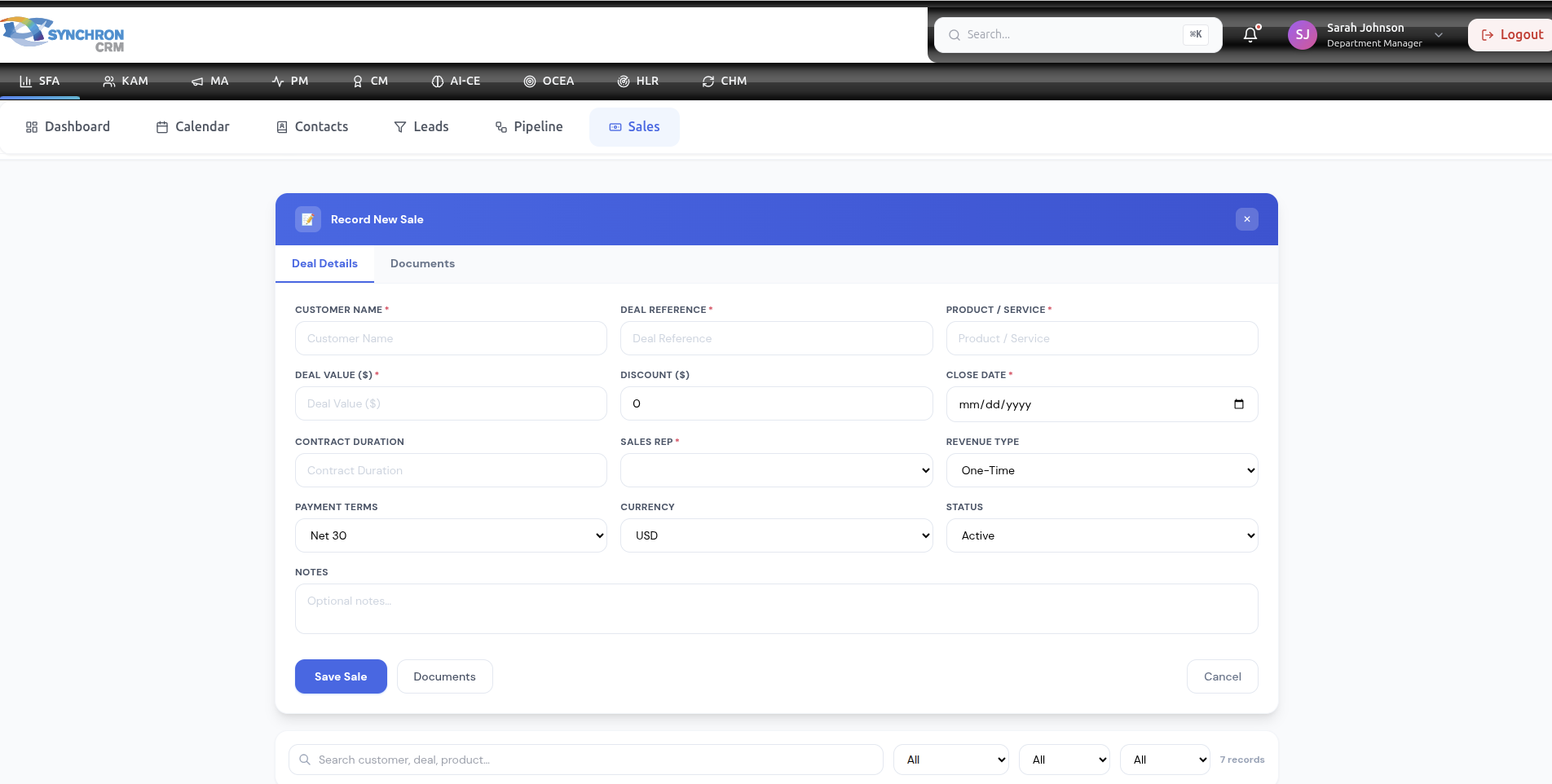
Depending on your organization, revenue may be classified as:
- One-Time Revenue
- Recurring Revenue (Subscription)
- Annual Contract Value (ACV)
- Monthly Recurring Revenue (MRR)
- Upsell Revenue
- Renewal Revenue
Proper classification improves financial reporting.
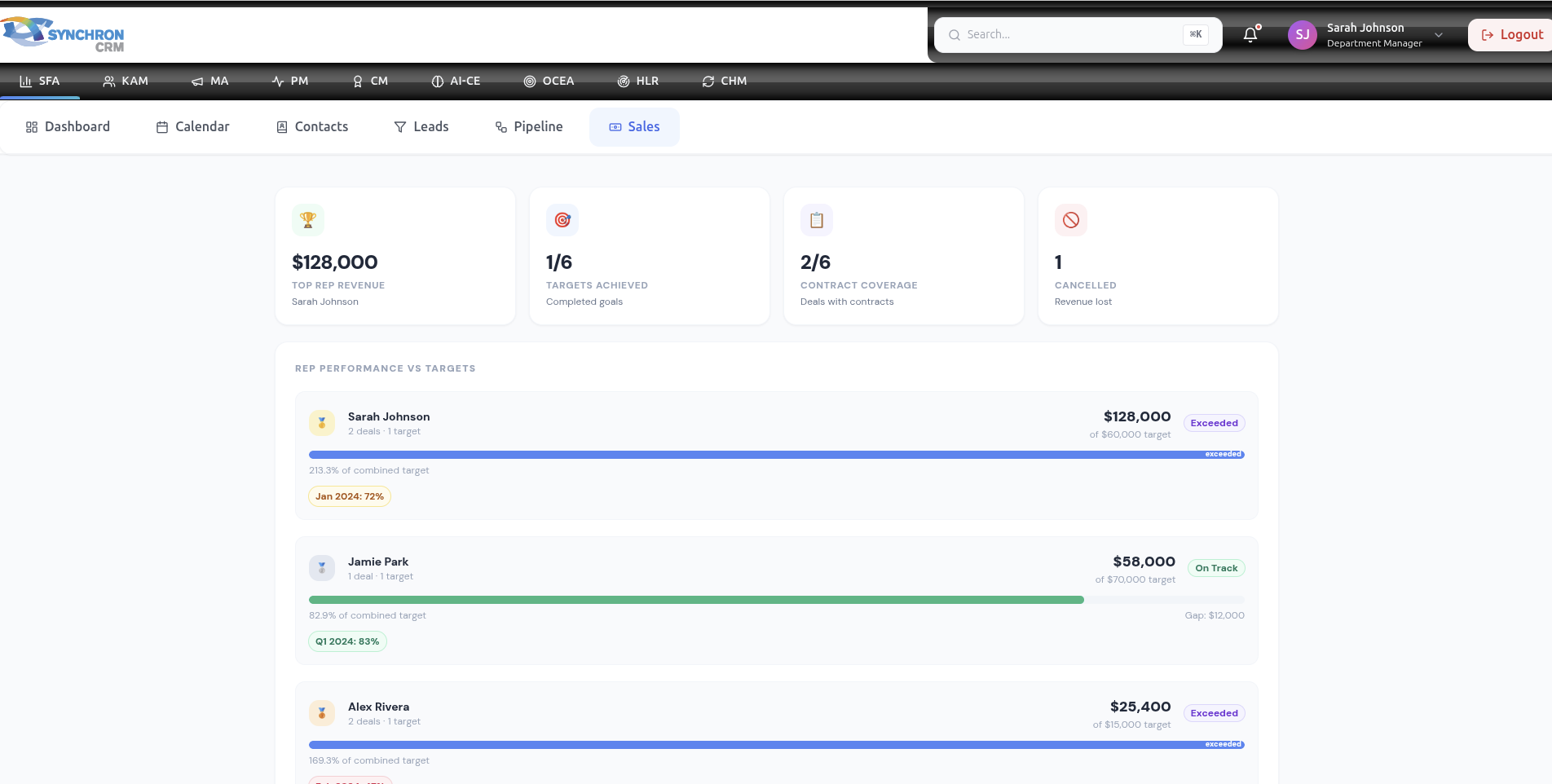
5. Target vs Achieved
The Sales module feeds data into the dashboard KPIs.
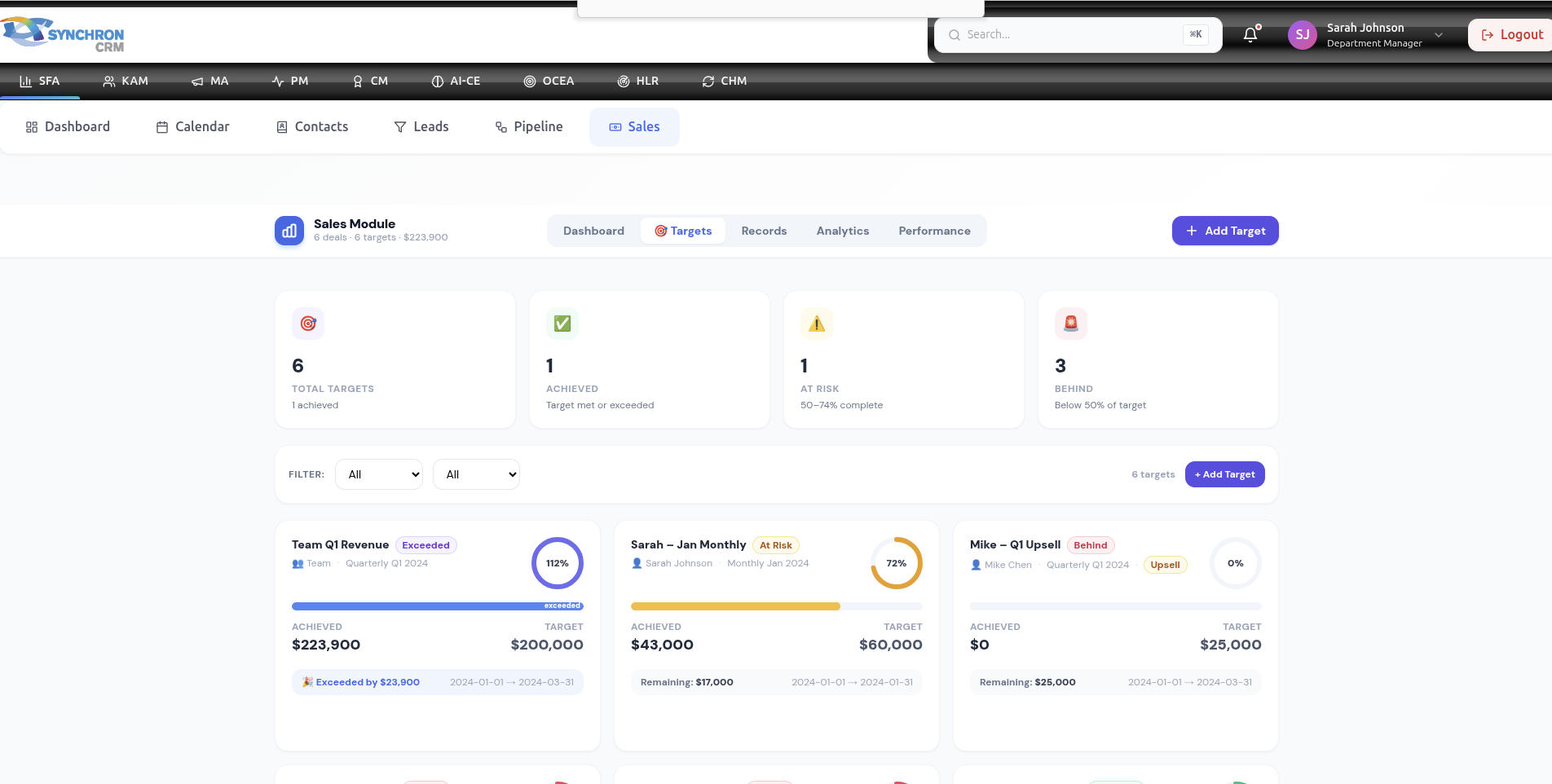
Sales performance is measured against:
- Monthly Target
- Quarterly Target
- Annual Target
Example:
If target = $100,000
Actual sales = $85,000
Achievement = 85%
This metric is visible in dashboard performance charts.
6. Revenue Calculation
Revenue tracking may include:
6.1 Gross Revenue
Total contract value.
6.2 Net Revenue
Revenue after discounts.
Net Revenue Formula:
Net Revenue = Gross Revenue − Discounts
7. Discounts & Adjustments
If discounts are applied:
- Always document reason
- Record approval authority
- Ensure final value is correct
Untracked discounts distort performance analysis.
8. Sales Performance Metrics
The Sales module contributes to:
- Total Revenue
- Average Deal Size
- Revenue Growth Rate
- Sales Cycle Length
- Revenue per Sales Rep
- Target Achievement %
Managers rely heavily on these metrics.
9. Recurring Revenue Management
For subscription-based sales:
- Record contract start date
- Record contract end date
- Track renewal reminders
- Monitor churn risk
Recurring revenue improves long-term forecasting accuracy.
10. Refunds & Cancellations
If a sale is cancelled:
- Update status immediately
- Adjust revenue records
- Document reason for cancellation
- Notify finance if required
Never leave cancelled deals recorded as revenue.
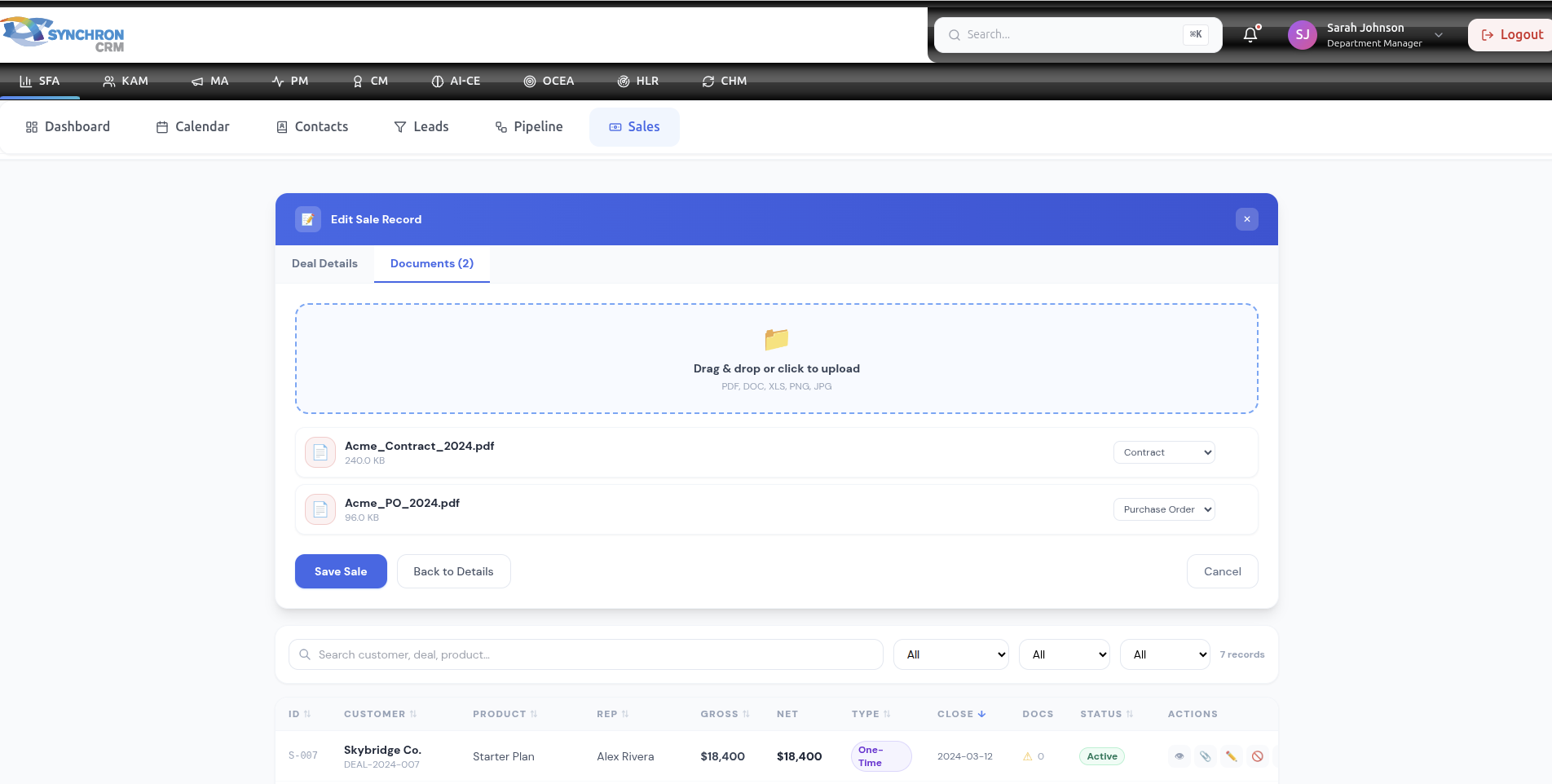
11. Sales Documentation
Every sale should include:
- Signed contract (PDF)
- Purchase order (if applicable)
- Proposal version
- Internal approval confirmation
This protects the organization legally and financially.
12. Daily Workflow for Sales Reps
When closing a deal:
- Confirm signed agreement
- Update opportunity to Closed Won
- Record sale in Sales module
- Attach documents
- Verify final value
- Inform finance/operations
Accuracy at this stage is critical.
13. Manager Oversight
Managers should review:
- Daily sales entries
- Revenue accuracy
- Discount patterns
- Sales vs target
- Rep performance comparison
Weekly review meetings should include sales module reporting.
14. Sales Auditing & Compliance
To maintain data integrity:
✔ Do not modify closed deals without approval
✔ Track all adjustments
✔ Maintain complete documentation
✔ Follow company approval workflow
Audit-ready records ensure transparency.
15. Common Mistakes to Avoid
❌ Recording projected revenue as actual
❌ Forgetting to attach contract documents
❌ Not updating discount values
❌ Leaving incomplete sales records
❌ Incorrect close dates
16. Sales Reporting
The Sales module enables:
- Monthly revenue reports
- Quarterly executive summaries
- Year-over-year growth analysis
- Sales rep performance ranking
- Product performance analysis
Data from this module feeds business intelligence dashboards.
17. Best Practices
✔ Record sales immediately after confirmation
✔ Double-check financial values
✔ Keep documentation complete
✔ Monitor target progress weekly
✔ Coordinate with finance for alignment
18. Summary
The Sales module is the final step in the revenue process.
Accurate sales tracking ensures:
- Reliable revenue reporting
- Strong financial control
- Clear performance measurement
- Predictable business growth
Sales discipline in this module directly impacts organizational success.