Lead Management
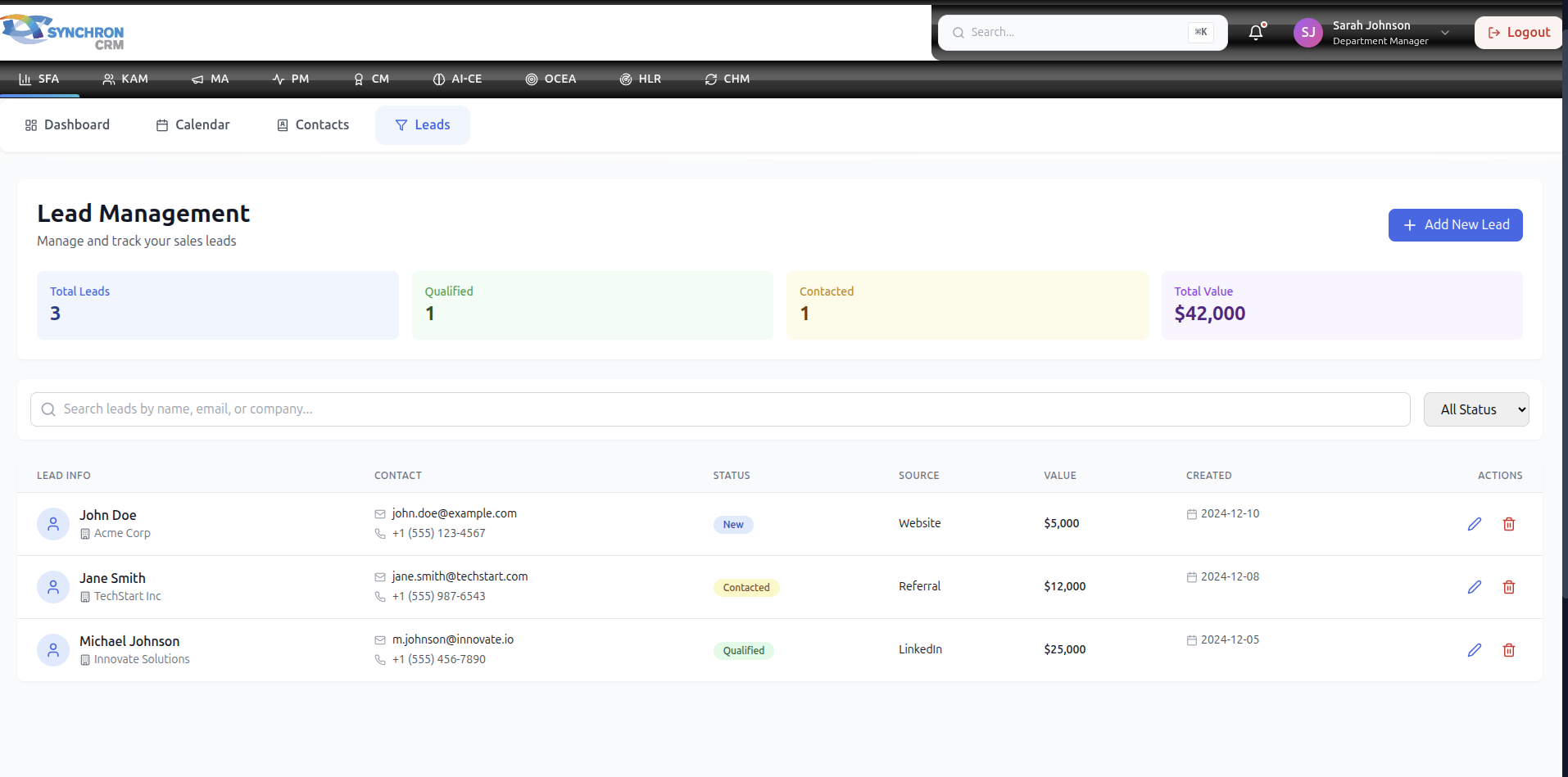
The Lead Management module is where all potential sales opportunities begin.
A lead represents a prospective customer who has shown interest in your product or service but has not yet become an active opportunity.
Effective lead management directly impacts conversion rate and revenue growth.
1. What is a Lead?
A Lead is:
- A new potential customer
- An inbound inquiry
- A marketing-generated contact
- A referral
- A cold outreach response
Leads must be qualified before becoming part of the sales pipeline.
2. Lead Lifecycle
Leads typically move through the following stages:
- New
- Contacted
- Qualified
Each stage reflects progress toward closing a deal.
3. Lead Status Definitions
3.1 New
A lead that has been created but not yet contacted.
Action Required:
- Contact within 24 hours
- Verify contact details
3.2 Contacted
Initial communication has been made.
Examples:
- Phone call
- Email sent
- Meeting scheduled
Action Required:
- Record interaction notes
- Schedule next follow-up
3.3 Qualified
The lead meets sales criteria and shows genuine buying intent.
Qualification Criteria May Include:
- Budget availability
- Decision-maker identified
- Clear business need
- Defined timeline
Only qualified leads should move into the Pipeline.
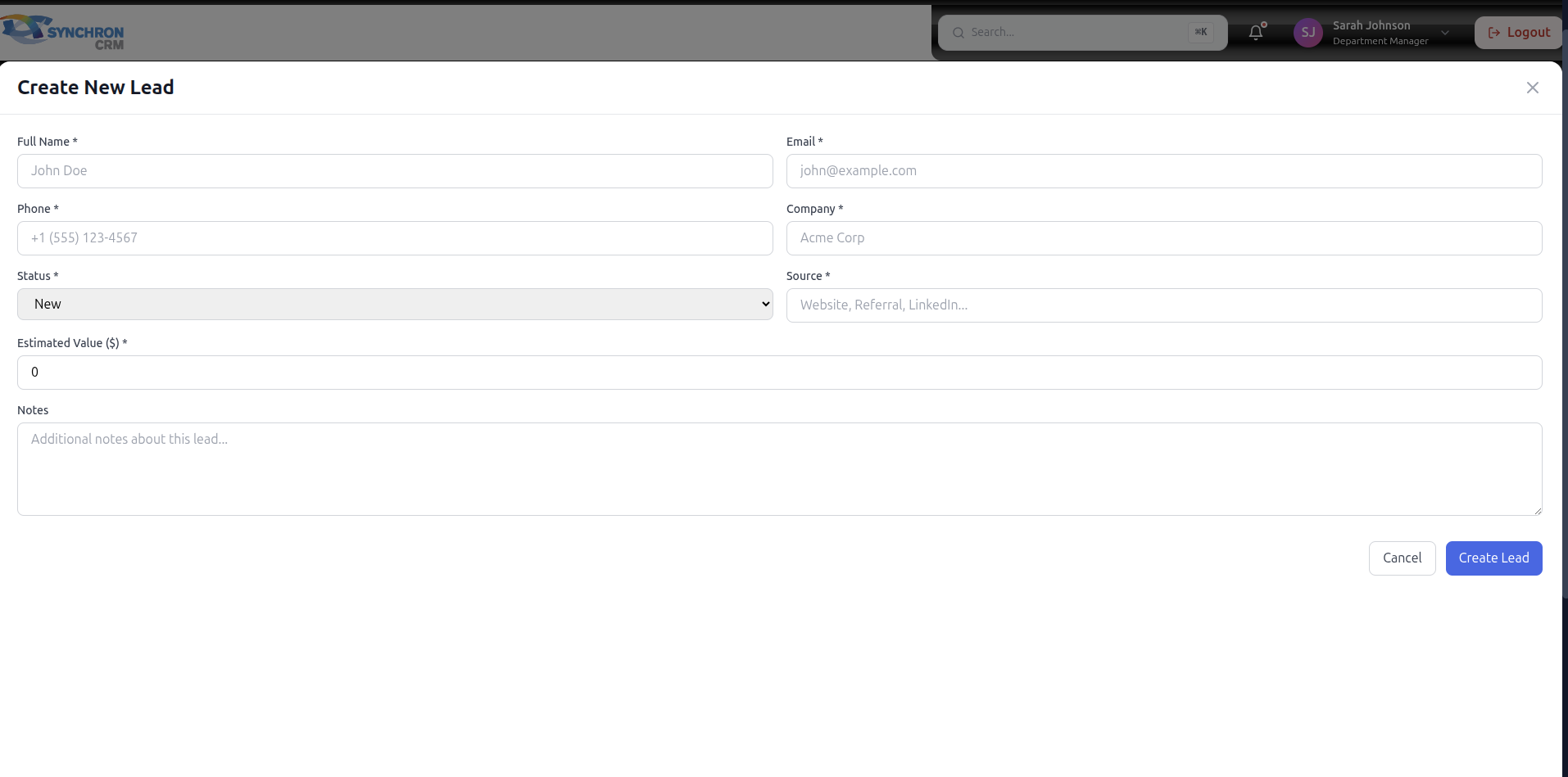
4. Creating a New Lead
To create a new lead:
- Navigate to Leads
- Click Create New Lead
- Enter required information:
- Company Name
- Contact Person
- Phone Number
- Source (Marketing, Referral, Cold Call, etc.)
- Assign owner (if applicable)
- Save
5. Editing a Lead
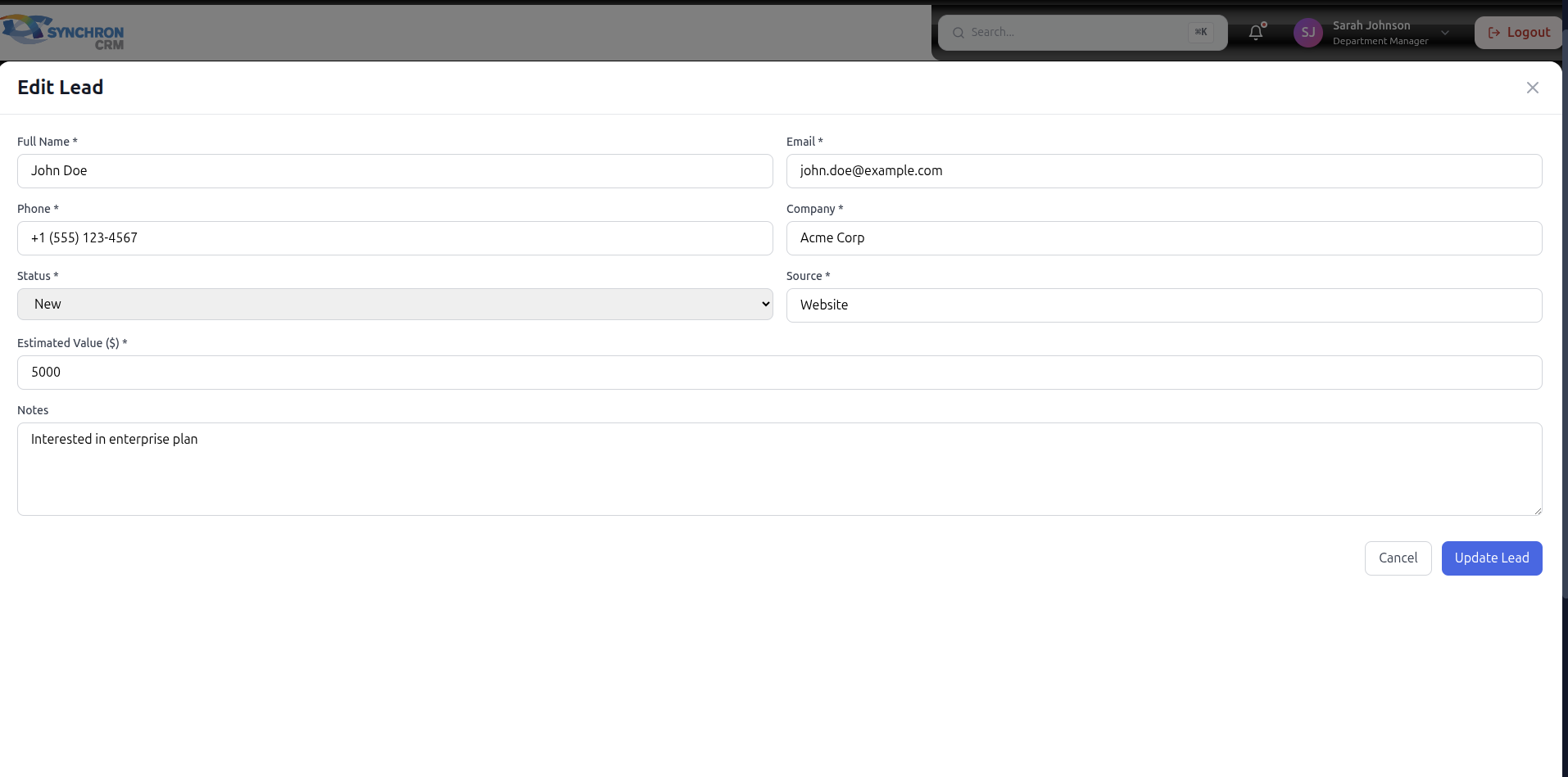
To update a lead:
- Open lead record
- Update status
- Add interaction notes
- Set follow-up date
- Save changes
Always keep information current.
6. Lead Assignment
Leads may be:
- Automatically assigned
- Manually assigned by Manager
- Self-assigned
Ensure ownership is clear to avoid missed opportunities.
7. Lead Filtering & Search
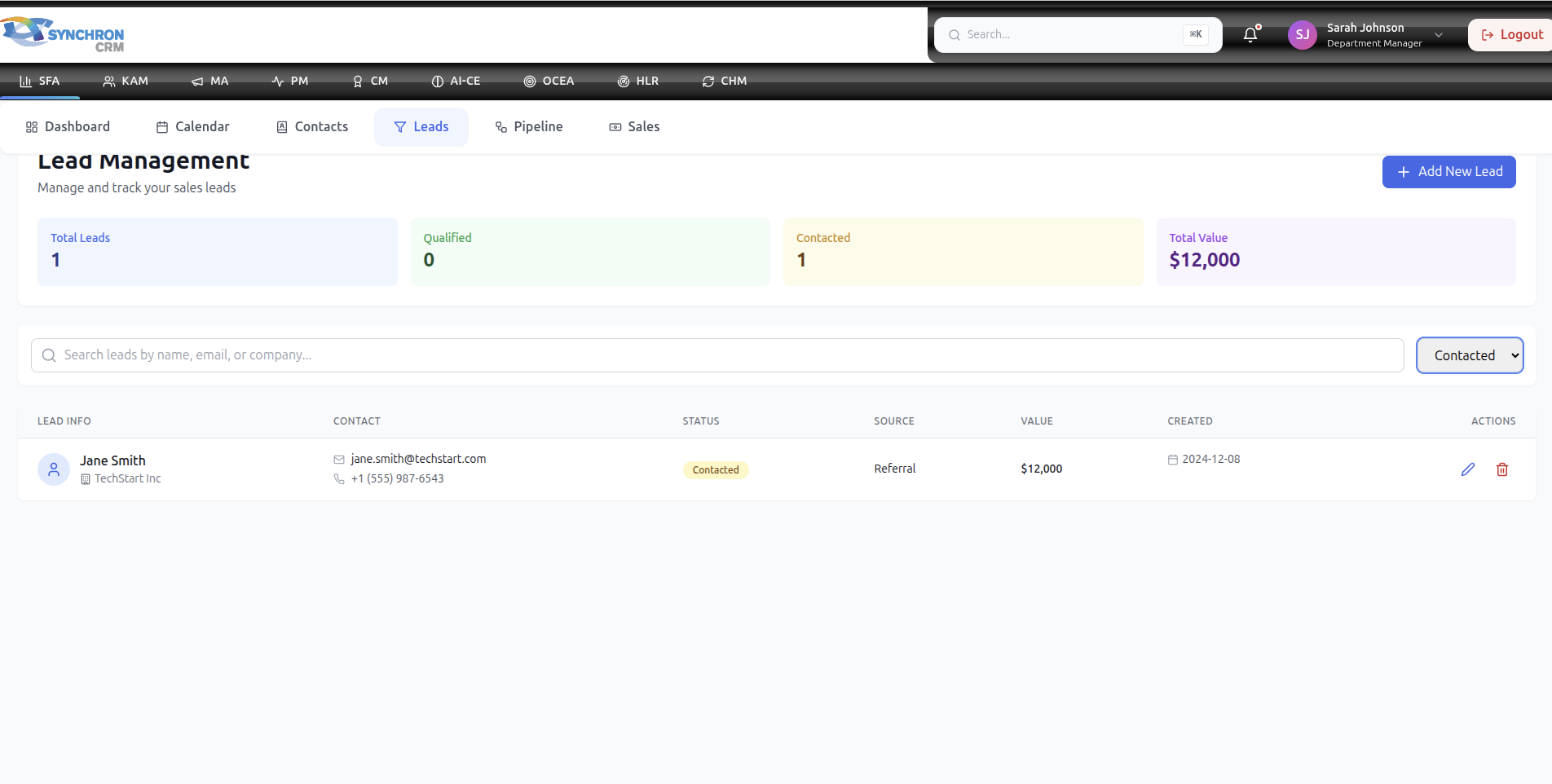
Use filters to:
- View leads by status
- Filter by assigned user
- Filter by date created
- Search by company or contact name
This helps prioritize high-value opportunities.
8. Lead Notes & Activity Tracking
Each lead should contain:
- Call notes
- Email summaries
- Meeting outcomes
- Next steps
Important:
Every interaction must be documented.
Incomplete notes reduce team visibility and performance tracking accuracy.
9. Converting a Lead to Opportunity
When a lead is fully qualified:
- Change status to Qualified
- Convert to Pipeline
- Confirm deal value estimation
- Move to appropriate stage
Once converted, the record becomes part of active sales tracking.
10. Lead Prioritization Strategy
Sales representatives should prioritize:
- High budget potential
- Decision-maker identified
- Short purchase timeline
- Strong product fit
Avoid spending excessive time on low-probability leads.
11. KPIs Related to Leads
Lead management directly affects:
- Conversion Rate
- Sales Cycle Length
- Cost per Acquisition
- Revenue Growth
Improper lead management reduces overall sales efficiency.
12. Common Mistakes to Avoid
❌ Delaying first contact
❌ Not updating status
❌ Missing follow-up dates
❌ Ignoring lost reasons
❌ Leaving leads unassigned
13. Best Practices
✔ Contact new leads within 24 hours
✔ Always log interactions immediately
✔ Set follow-up reminders
✔ Qualify leads properly before pipeline conversion
✔ Review lead list daily
14. Manager Monitoring
Managers should monitor:
- Lead response time
- Qualification rate
- Conversion rate per rep
- Lost reason analysis
This ensures performance optimization across the team.
15. Summary
Lead Management is the foundation of the sales process.
Strong lead discipline leads to:
- Higher conversion rates
- Shorter sales cycles
- Increased revenue
- Better forecasting accuracy
Treat every lead as a potential revenue opportunity.